Built in Singapore · Guided clinic setup
Run the clinic day from one calm system.
Schedule appointments, chart treatment and manage checkout in one patient workspace. Start with guided setup, with optional connections to existing systems.
- Standalone setup through a guided pilot
- Optional connections for existing systems
- Tenant-isolated and Singapore-region hosted

Oralstack clinic system
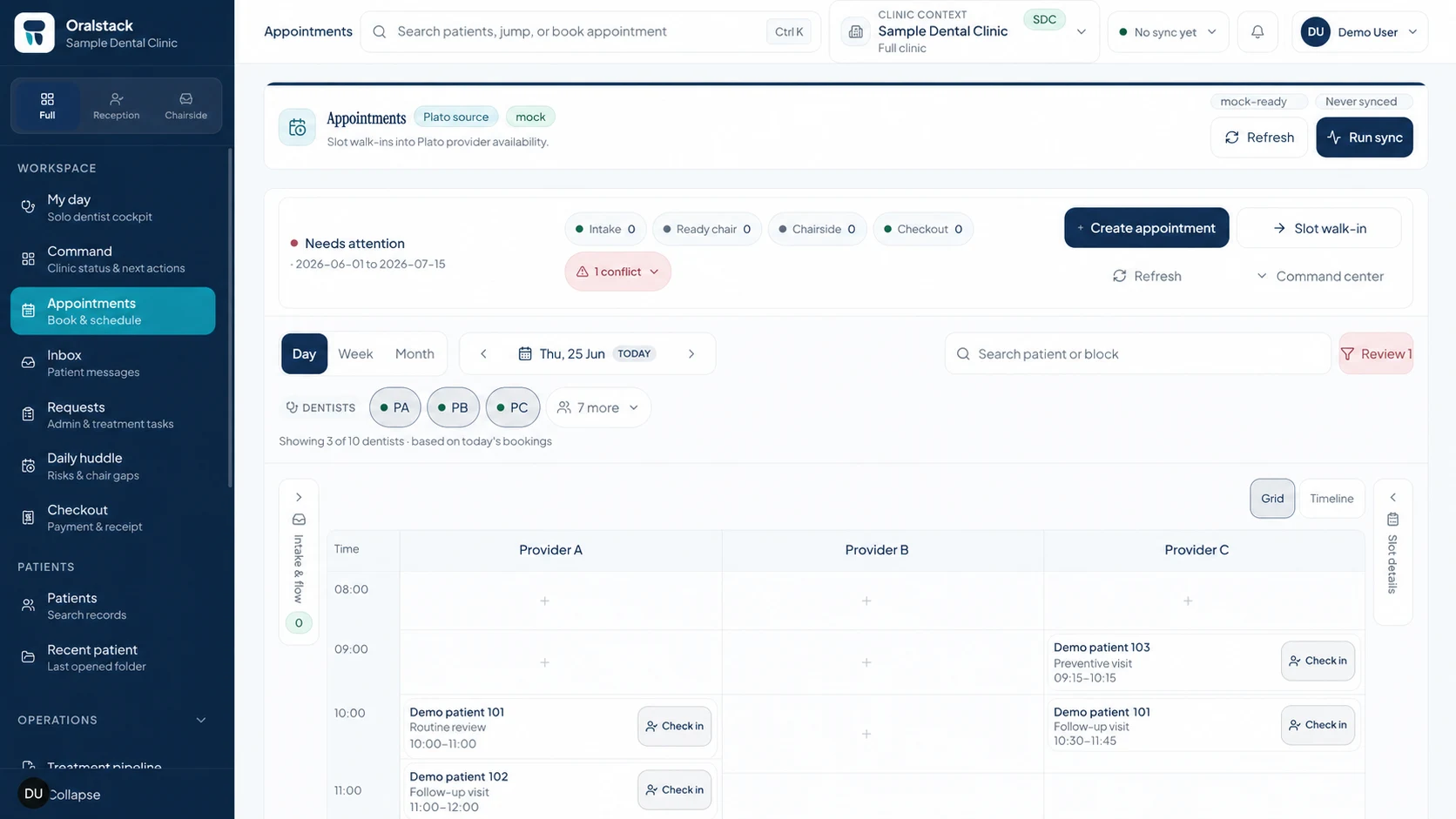
Appointments · Clinic day view
Historical connected-pilot evidence · April 2026
What changed in four weeks at DFI Synergy.
A three-chair Singapore clinic piloted appointments, reception and reviewed checkout while preserving its Plato connection. These results do not evidence standalone adoption or a general performance promise.
Read the pilot and measurement notes“The drag-to-reschedule was the moment it clicked. We could move a patient while keeping the day visible to the rest of the front desk.”
- From kickoff to the front-desk pilot
- 3 days
- Appointments, reception and reviewed checkout.
- Same-day billing by week four
- 85%
- Up from a 60% pre-pilot baseline.
- appointments lost in the paper-diary transition
- 0
- drag-to-reschedule operations in pilot week three
- 120+
Explore the clinic workspace
Start with the handoff creating the most friction.
Choose one clinic job. We'll keep the current app scope, record ownership, rollout state, and a focused walkthrough path together.
Queues and calendars split the clinic day
Recommended starting point
Configured in clinic setupRun appointments, requests and chair gaps from one daily workspace.
My day, Command, Appointments, Inbox, Requests and Huddle give the team a shared operating view. Schedule paths are enabled only after guided clinic setup; Plato is an optional connection.
Set up the clinic schedule
Confirm providers, chairs, availability, and schedule scope during clinic setup before staff create or cancel appointments in Oralstack.
Keep appointment changes reviewable
Create, cancel, and review schedule changes with status visible. Clinics that choose Plato use the connector's reviewed writeback path.
Run reception and chair flow
Confirm arrival, check in, seat the patient, update chair status, and hand the visit to checkout.
Keeps together: provider availability, arrivals, walk-ins, chair status, handoffs, and checkout readiness.
Need the full map? Compare all seven workflows →
Choose how you start
Start Oralstack without another PMS.
Start a clinic in Oralstack, move forward from your current records, or keep an optional connection. Every route begins with the clinic workflow and a documented ownership plan.
Set up a new clinic
Configure the clinic, team, schedule, patient record, and checkout path in Oralstack through guided setup.
See the new-clinic path02Move the records you need
Start from paper, spreadsheets, or another practice system with a reviewed source inventory and validation plan.
See the move path03Keep an optional connection
Use a supported existing-system connection where it fits, with record ownership and change status kept explicit.
See the connection pathGuided standalone setup